How to charge and bite in Sandworm Playground
In starter worm form, steer toward a target and use blue CHARGE to rush along that line. For prey close to your mouth, use the large red BITE button. Watch for a hit message or an XP gain to tell whether you connected.
Updated 2026-11-22 · Roblox · Frozen Wastes update
Land your first charge and bite
Find Charge and Bite in worm form
Use WORM from the human HUD. On the starter worm, the lower-right button cluster includes blue CHARGE at the top left and red BITE at the bottom right. The left stick steers the worm.
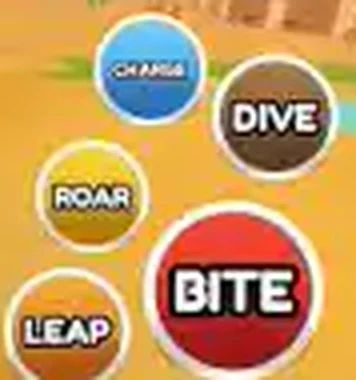
Find CHARGE and BITE in the starter worm’s right-hand controls. Line up a charge on a standing object
Point the worm at a standing object with a clear stretch of sand ahead. Use CHARGE to rush at it. Watch for the object to break and check the XP bar. If the target is already rubble, choose another intact object.
Bite when prey reaches your mouth
Steer toward a nearby character. When the worm’s head reaches the target, tap BITE. Watch for CHOMP and a change to the XP meter. If you miss, circle to line up another close pass.
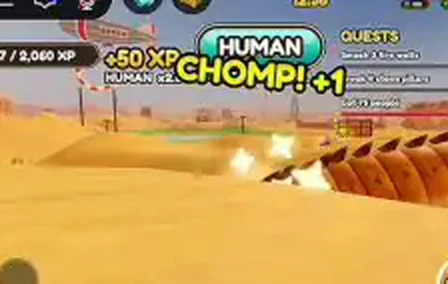
CHOMP! is one of the on-screen signs that your bite connected.
Check the hit
An intact object breaks or a hit notification appears. Check the XP bar if the result is hard to see among the effects.
If the controls or XP look different
If you see only the human HUD, tap WORM first. If the attack buttons have different names, check the selected worm in WORMS. The pictured Charge and Bite layout belongs to the starter worm.