How to fly with Apocalypse Wyrm in Sandworm Playground
Apocalypse Wyrm unlocks at level 40. Equip it in WORMS, enter worm form, then tap FLY near the lower right on mobile. Look for the red-black wings and a raised camera view. Use DIVE BOMB when you want to attack a target below you.
Updated 2026-11-22 · Roblox · Frozen Wastes update
Equip the Wyrm and take flight
Reach level 40 and equip Apocalypse Wyrm
Check your level at the upper left, open WORMS, and find the Apocalypse Wyrm card. Select EQUIP. If your character is still human, tap WORM to bring out the wyrm.
Use FLY to take off
On the mobile action cluster, find the orange FLY button to the lower left of REND. Tap FLY and watch the wings open as the view rises over the desert.
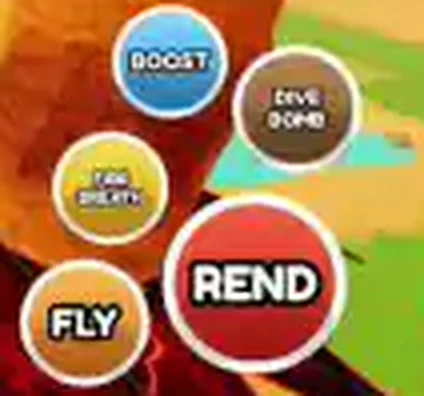
Tap FLY at the lower left of the action cluster. DIVE BOMB is the smaller brown button above REND. Use the air attack when a target is below
Fly over a target and use DIVE BOMB to attack from above. FIRE BREATH and REND have their own buttons. Use the spread wings and the raised view as your check that you have taken flight before trying a dive.
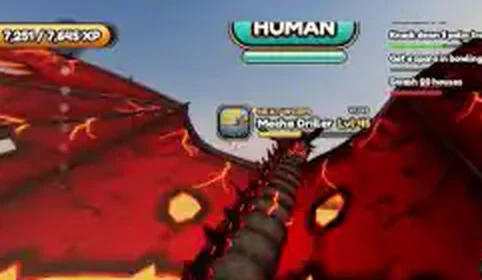
The opened wings and raised view are easy ways to recognize flight.
Confirm you are flying
Your red-black wings are extended and your camera view rises above the desert. The mobile action cluster shows FLY and DIVE BOMB.
If FLY is missing
Open WORMS and check that the Apocalypse Wyrm card reads EQUIPPED. If the form button still says WORM, tap it to transform. If the card is locked, check whether you have reached level 40.